
Set the amount.
Amount controls how much enhancement you hear. Move from a subtle lift to a more pronounced effect.

Bring out detail,
presence and air.
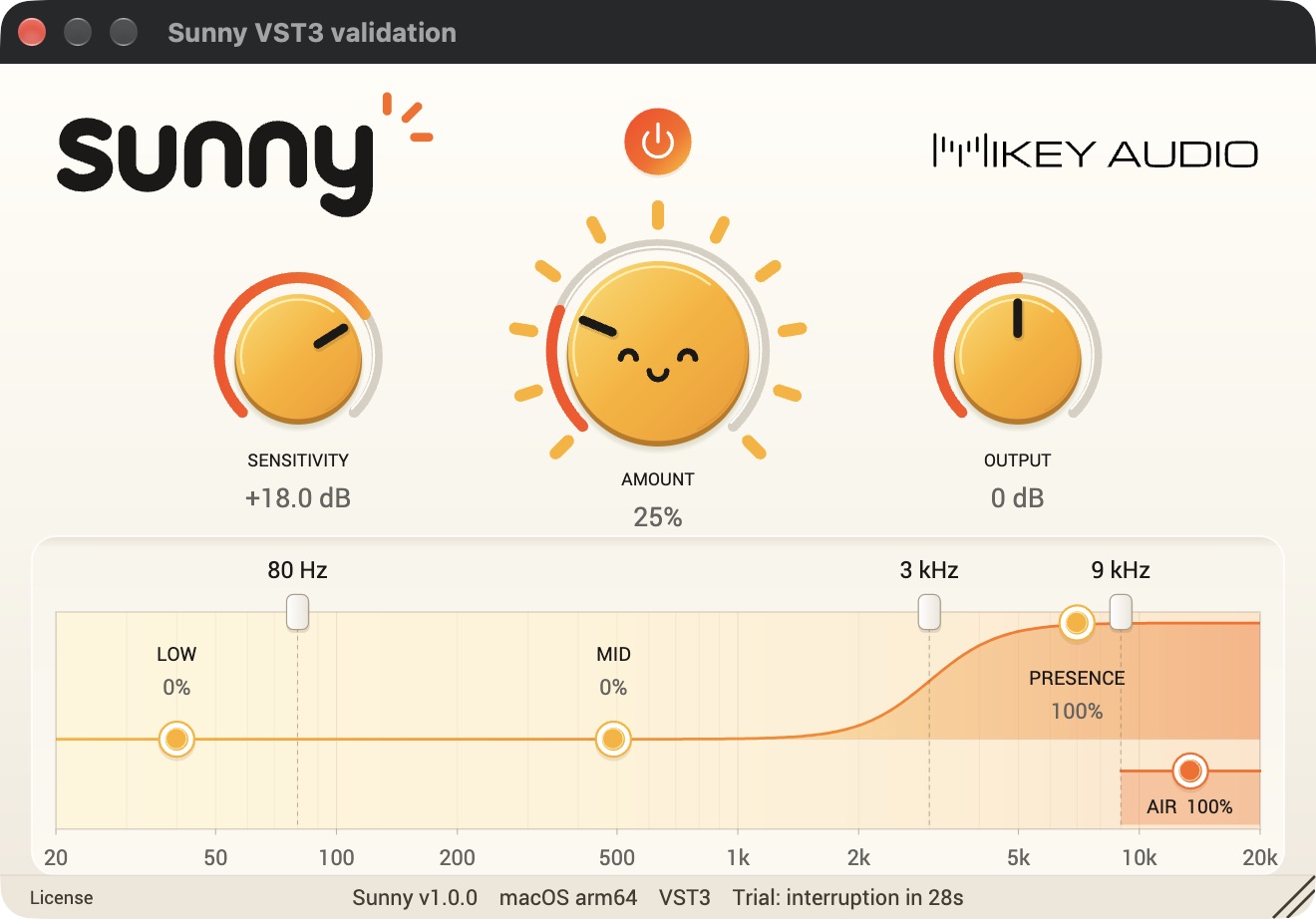
Add a little life to your tracks. Sunny responds to the detail in your audio, with four bands to put the enhancement exactly where you want it.
Free trial available. Activate your license to remove audio interruptions.
Works in all major DAWs with VST3, AU or CLAP support.
Pro Tools requires AAX and is not supported.
Start with Amount, then listen in the context of your mix. Sunny adds enhancement to your original signal, and its response changes with the level of the audio.
Amount controls how much enhancement you hear. Move from a subtle lift to a more pronounced effect.
Raise Sensitivity to bring quieter details into focus, or lower it for a gentler response.
Use Output to match the listening volume, then switch Power off and on to hear what Sunny adds.
Adjust Low, Mid, Presence and Air independently. Drag the three frequency boundaries to shape where each region begins.
Balance the enhancement at the bottom of your sound.
Shape the detail in the middle of the mix.
Bring forward the details you want to hear.
Dial in the enhancement at the very top.
The free trial interrupts audio for 2 seconds every 30 seconds of processed audio.
All features are available. Import a license to remove the interruptions.